Six Slices and a Lift: How the Hue Wheel Becomes RGB
An HSL to RGB converter takes a color you can reason about — a hue angle, a saturation percentage, a lightness percentage — and turns it into the three 0–255 integers your screen actually lights up. That last part matters more than it sounds. A monitor has no idea what "217 degrees of hue at 91% saturation" means. It drives red, green, and blue subpixels, full stop. HSL is the language designers and CSS authors think in; RGB is the language hardware renders in. This conversion is the translation layer between the two, and it runs every time a browser paints an hsl() value to the screen.
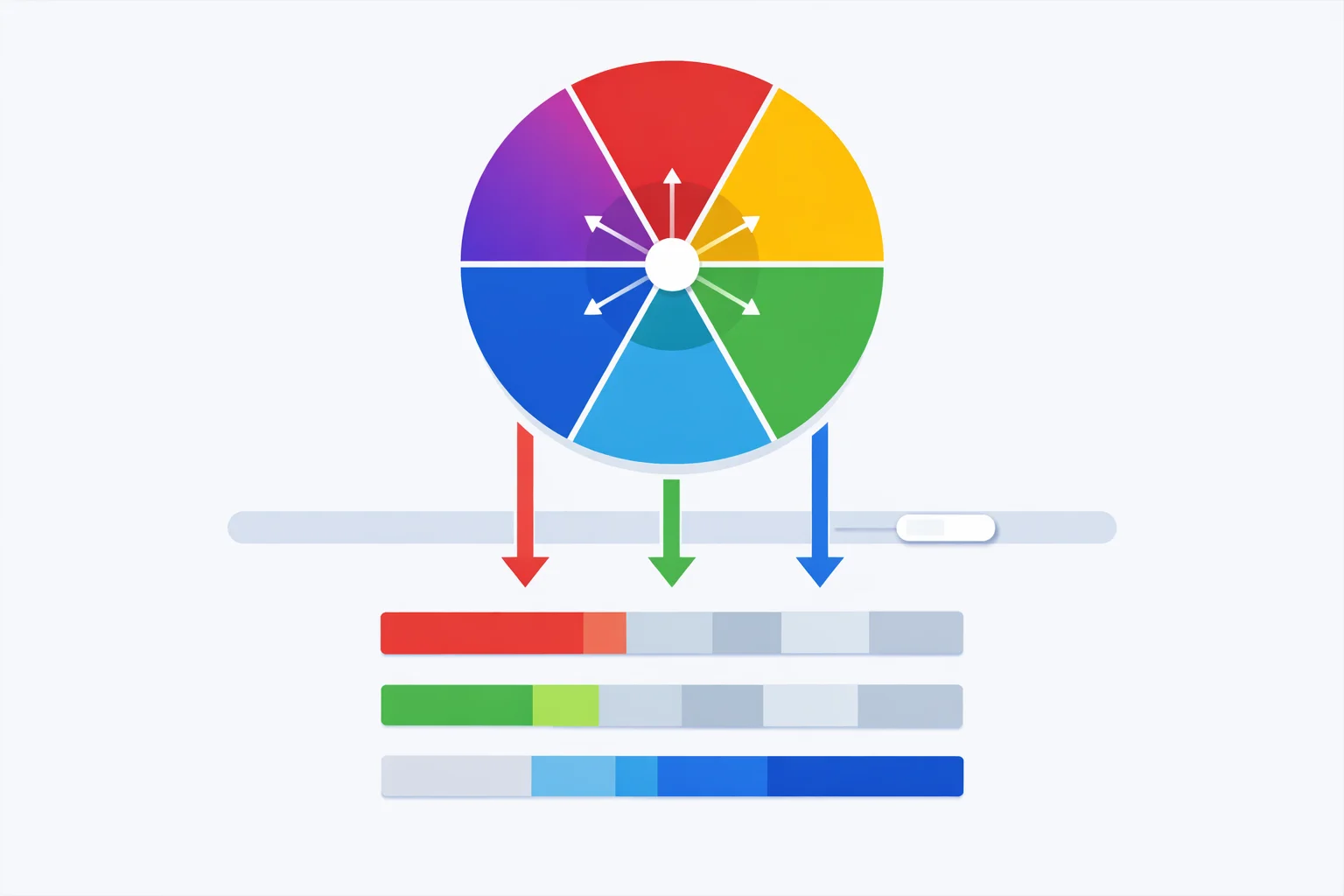
The Direction Browsers Actually Care About
Going from RGB to HSL is something humans do to understand a color. Going from HSL to RGB is something machines do to display one. Every time you write color: hsl(217 91% 60%)in a stylesheet, the browser's style engine converts it to RGB before it ever reaches the compositor — because the frame buffer that holds your page is laid out as red, green, and blue bytes per pixel. There is no "HSL mode" in graphics hardware.
So while the inverse conversion is a convenience, this direction is structural. It's baked into the CSS Color Module specification, which defines hsl() entirely in terms of how it resolves to RGB. If you've ever stored design tokens as HSL channels and needed to feed them to a canvas, a WebGL shader, or an email client that chokes on hsl(), you've needed exactly this conversion. Our RGB to HSL converter handles the analysis direction when you want to read a color instead.
Chroma First, Lift Second
The modern HSL to RGB algorithm doesn't convert lightness directly. It splits the job into two stages: build the colorfulpart first, then lift the whole thing to the right brightness. The colorful part is chroma, and it's where the formula starts.
Chroma measures how far a color is from gray. The formula is C = (1 − |2L − 1|) × S. Notice what that |2L − 1|term does: at L = 0.5 it's zero, so chroma equals saturation outright — colors are most vivid at mid lightness. Push lightness toward 0 (black) or 1 (white) and the term climbs toward 1, crushing chroma to zero. That's the math reason a 95%-lightness color looks nearly white no matter how high you crank saturation: there's barely any chroma left to color it with.
Once you have chroma, you compute two more values. X is the "second" channel — the partial amount that gives the hue its in-between tint, found with X = C × (1 − |(H/60) mod 2 − 1|). And m = L − C/2is the lift: the flat amount added to every channel at the end so the final color hits your requested lightness. Watch these three numbers update live in the converter's indigo panel as you drag the sliders — they're the entire engine.
The Six 60-Degree Slices of the Wheel
Here's the part most explanations gloss over. Hue isn't fed into a single equation — it picks which of six segments of the color wheel you're in, and each segment hard-codes where chroma, X, and zero land among red, green, and blue. Divide the hue by 60 and the integer part is your sextant:
- 0–60° (red to yellow): channels = (C, X, 0). Red is full, green ramps up, blue is off.
- 60–120° (yellow to green): (X, C, 0). Green takes over as the full channel.
- 120–180° (green to cyan): (0, C, X). Red drops out, blue starts climbing.
- 180–240° (cyan to blue): (0, X, C). Blue becomes the full channel.
- 240–300° (blue to magenta): (X, 0, C). Red returns as the partial.
- 300–360° (magenta to red): (C, 0, X). Red is full again, closing the loop.
This is why the hue wheel is circular: sextant six hands off cleanly back to sextant one at 360°, which is the same color as 0°. The converter's sextant indicator highlights which slice your current hue lands in and prints the channel pattern, so you can see, for instance, that a hue of 217° sits in the cyan-to-blue slice where blue gets the full chroma.
Worked Example: hsl(217, 91%, 60%)
Let's convert Tailwind's blue-500, hsl(217, 91%, 60%), by hand and check it against the converter.
- Normalize: S = 91/100 = 0.91, L = 60/100 = 0.60
- Chroma: C = (1 − |2(0.60) − 1|) × 0.91 = (1 − 0.20) × 0.91 = 0.80 × 0.91 = 0.728
- Sextant: H′ = 217 / 60 = 3.617 → sextant 4 (180–240°), pattern (0, X, C)
- X: H′ mod 2 = 1.617, |1.617 − 1| = 0.617, so X = 0.728 × (1 − 0.617) = 0.728 × 0.383 = 0.279
- Lift: m = 0.60 − 0.728/2 = 0.60 − 0.364 = 0.236
- Assemble: (R, G, B) = (0 + m, X + m, C + m) = (0.236, 0.515, 0.964)
- Scale: ×255 → (60, 131, 246)
Final answer: rgb(60, 131, 246), hex #3C83F6. Drop 217, 91, 60 into the sliders above and the blue panel confirms it. Because this conversion routes through RGB anyway, it's also the first half of any HSL to hex conversion— hex is just RGB written in base 16.
Why Two Tools Disagree by One
Paste the same HSL value into three different converters and you'll occasionally get results that differ by a single unit on one channel. Nobody's wrong — it's rounding order. The conversion produces fractional channel values like 130.7, and turning 130.7 into a byte has three common interpretations: Math.round gives 131, Math.floorgives 130, and rounding the normalized 0–1 value before the ×255 multiply can give yet another answer.
Take hsl(48, 89%, 50%). Round-after-scaling yields rgb(242, 196, 13); some libraries that truncate yield rgb(241, 196, 12). The two ambers are one 8-bit step apart — a brightness difference of roughly 0.4%, completely invisible to the eye. It only bites you in two situations: automated visual-regression tests that compare pixels byte-for-byte, and color-keying where an exact value triggers transparency. If either applies, lock down the rounding mode and don't mix conversion sources.
The Lime-vs-Green Trap
A surprising number of developers assume hsl(120, 100%, 50%) is the CSS color green. It isn't. That HSL value converts to rgb(0, 255, 0) — the blinding pure green that CSS actually names lime. The keyword green is the much darker rgb(0, 128, 0), which is hsl(120, 100%, 25%): same hue, same saturation, but half the lightness.
The trap exists because the X11 color names that CSS inherited were defined before anyone thought in HSL, and green got a mid-tone value while limegrabbed the maximum. So when you're translating a design that calls for "green at full saturation," check the lightness: 50% gives you eye-searing lime, and you almost always want something in the 25–40% range for a green that reads as green. Try both in the converter and the preview banner makes the difference obvious.
A 12-Line Reference Function
The full HSL to RGB conversion fits in a dozen lines of dependency-free JavaScript — the same routine powering the tool above:
function hslToRgb(h, s, l) {
  s /= 100; l /= 100;
  const c = (1 - Math.abs(2 * l - 1)) * s;
  const x = c * (1 - Math.abs(((h / 60) % 2) - 1));
  const m = l - c / 2;
  let [r, g, b] = [0, 0, 0];
  if (h < 60)       [r, g, b] = [c, x, 0];
  else if (h < 120) [r, g, b] = [x, c, 0];
  else if (h < 180) [r, g, b] = [0, c, x];
  else if (h < 240) [r, g, b] = [0, x, c];
  else if (h < 300) [r, g, b] = [x, 0, c];
  else              [r, g, b] = [c, 0, x];
  return [Math.round((r + m) * 255),
          Math.round((g + m) * 255),
          Math.round((b + m) * 255)];
}
Two details keep this correct. The if ladder uses strict less-than against the 60° boundaries so a hue of exactly 120 lands in the green-to-cyan slice, not the previous one. And the (r + m) addition happens before the ×255 scale, never after — flip that order and the lift gets applied in the wrong units, pushing every light color toward white. Once those two are right, the function round-trips cleanly against the converter for every input you can throw at it. When you need to go the other way, our hex to RGB converter handles the base-16 parsing side.