Hex to RGBA: How Alpha Transparency Actually Behaves in CSS
A hex to RGBA converter adds an alpha channel to a color — and that single extra value behaves in ways that catch out most developers the first time. You set a button background to rgba(255, 87, 51, 0.5), it looks perfect on your white mockup, then it turns muddy on a dark hero section. Nothing in your code changed. The color did exactly what alpha is supposed to do: it blended with whatever was behind it. This page explains the math underneath that blend, the three ways to write the same opacity, and the bugs that make transparency look wrong.
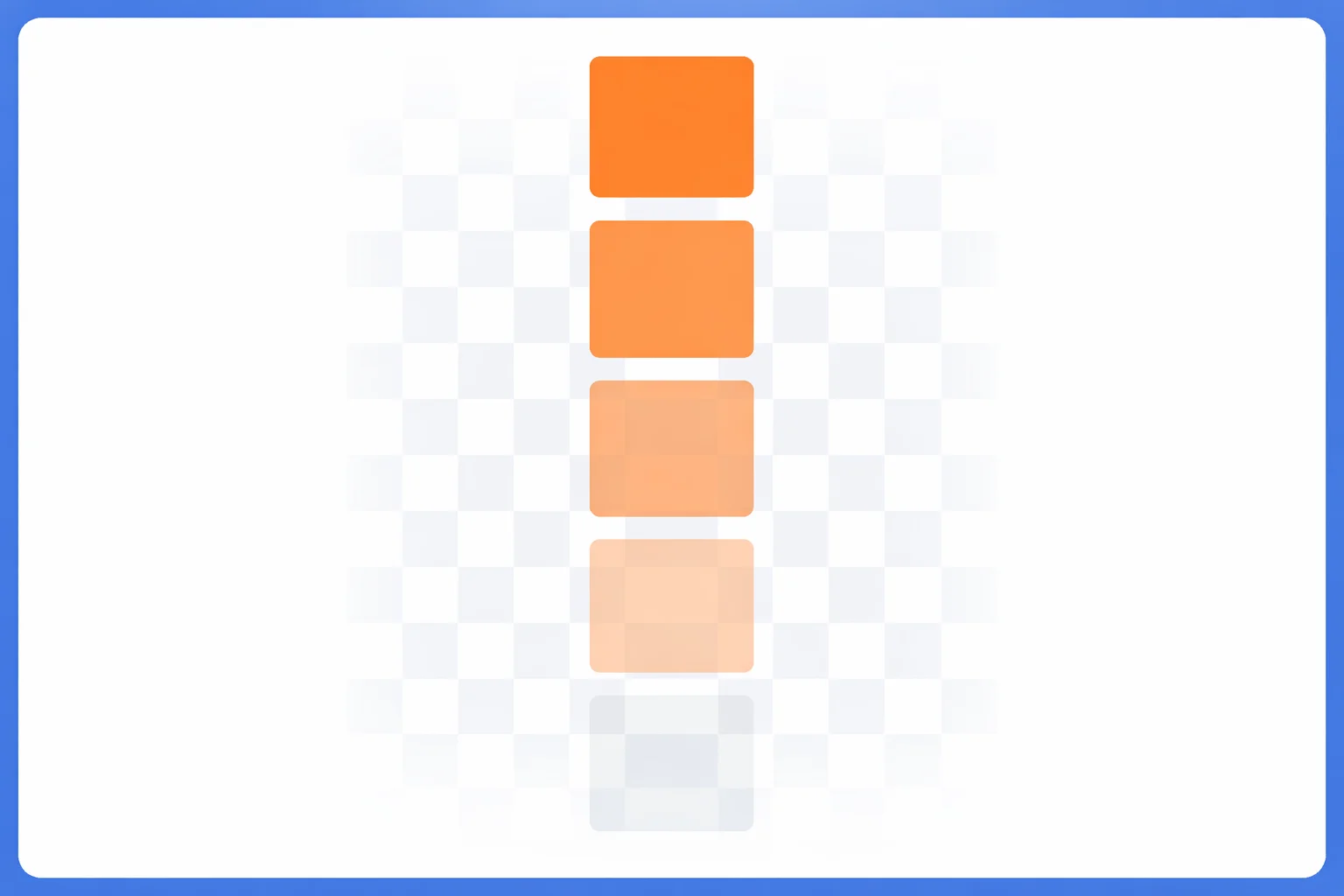
What RGBA Adds That Hex Alone Can't
A standard hex code like #FF5733 carries three numbers: red, green, and blue, each from 0 to 255. RGBA adds a fourth — alpha — that controls opacity. Alpha 1 is fully opaque (you see the pure color), alpha 0 is fully transparent (you see straight through it), and anything in between mixes the color with its background.
A solid hex code physically can't express this. Six hex digits only have room for three channels. To get transparency you either jump to the 8-digit hex form (#FF573380) or use the rgba() CSS function. Both encode the same four numbers; they just write them differently. If you only need the three solid channels, our hex to RGB converter covers that case without the alpha math.
0 to 1, 0 to 255, and 00 to FF: Three Ways to Write One Alpha
The confusing part of alpha is that it has three notations, and they don't look alike. CSS rgba() wants a decimal from 0 to 1. The 8-digit hex form wants a two-character byte from 00 to FF. And design tools usually show you a percentage. They all describe the same opacity.
To go from a percentage to a hex byte: divide by 100 to get the decimal, multiply by 255, round to the nearest whole number, then convert to base-16. So 50% becomes 0.5, then 0.5 × 255 = 127.5, which rounds to 128, which is 80 in hex. That rounding is why 50% is 80 and not the 7F (127) you might expect.
| Opacity | Decimal | Byte | Hex |
|---|---|---|---|
| 100% | 1.0 | 255 | FF |
| 75% | 0.75 | 191 | BF |
| 50% | 0.5 | 128 | 80 |
| 25% | 0.25 | 64 | 40 |
| 10% | 0.1 | 26 | 1A |
| 0% | 0.0 | 0 | 00 |
Reading Alpha Straight From 8-Digit Hex
An 8-digit hex code is just a 6-digit code with two extra characters tacked on the end for alpha: #RRGGBBAA. Take #2563EBBF. The first six characters give RGB 37, 99, 235 — the same blue you'd get from #2563EB. The last pair, BF, is the alpha: BF equals 191 in decimal, and 191 ÷ 255 = 0.749, which is 75% opacity. So the whole thing reads as rgba(37, 99, 235, 0.75).
There's a 4-digit shorthand too. #F538 expands to #FF553388 — each character doubles, alpha included. Browser support for 8-digit hex is universal in modern engines, but it landed later than rgba(), so very old codebases stick with the function form. Paste either form into the tool above and it pulls the alpha out for you.
Why 50% Opacity Isn't Half a Color
Here's the part competitors skip. When you put a semi-transparent color on screen, the browser doesn't show your color at all — it shows a blend of your color and the background. The formula is alpha compositing:
visible channel = foreground × alpha + background × (1 − alpha)
Run rgba(255, 87, 51, 0.5) — our orange at 50% — over a white background (255, 255, 255). The red channel stays 255 (255 × 0.5 + 255 × 0.5). Green becomes 87 × 0.5 + 255 × 0.5 = 171. Blue becomes 51 × 0.5 + 255 × 0.5 = 153. The visible color is rgb(255, 171, 153) — a pale salmon, not orange.
Now drop the same orange over black (0, 0, 0). Red: 255 × 0.5 + 0 = 128. Green: 87 × 0.5 = 44. Blue: 51 × 0.5 = 26. The visible color is rgb(128, 44, 26) — a dark brick. Identical alpha, identical foreground, two completely different results. That's why the "over white" and "over black" swatches in the tool exist: the alpha number alone never tells you what the user actually sees. This also matters for accessibility — run the blended color, not the source color, through our WCAG contrast checker to get a true ratio.
rgba() vs. the opacity Property
These two get confused constantly, and the difference matters. rgba() sets the transparency of a single color value. The CSS opacity property fades an entire element and everything nested inside it.
| Aspect | rgba() / 8-digit hex | opacity property |
|---|---|---|
| What fades | Only the one color (e.g. background) | The whole element + all children |
| Text on top | Stays fully solid and crisp | Fades with everything else |
| Stacking context | No new context created | Creates a new stacking context |
| Best for | Translucent panels behind sharp text | Fade-in/out animations of full elements |
If you want a frosted card with a see-through background but perfectly readable text, you need rgba() on the background-color — never opacity: 0.5 on the card, because that would wash out the text too.
The Gray Fringe Bug When You Fade to Transparent
Try fading a color to nothing in a gradient: linear-gradient(to right, #FF5733, transparent). In Safari and older engines you'll often see an ugly gray or dark band near the transparent end. The reason is sneaky: the CSS keyword transparent is defined as rgba(0, 0, 0, 0) — transparent black. As the gradient interpolates toward it, the RGB channels slide toward 0 (black) even as alpha drops, so the midpoint blends in dark pixels.
The fix is to fade to the same color at zero alpha, keeping the RGB intact: linear-gradient(to right, #FF5733, rgba(255, 87, 51, 0)) or the hex form #FF573300. Now only the alpha changes and the color stays clean all the way down. The tool above gives you the exact rgba(…, 0) string when you drag the slider to 0%. Our CSS gradient generator applies this fix automatically for fade-out stops.
Mistakes That Make Transparency Look Wrong
Writing alpha as a percent inside rgba(). rgba(255, 87, 51, 50) is invalid — the legacy comma syntax expects a 0–1 decimal, so 50 clamps to 1 (fully opaque) and your transparency silently disappears. Use 0.5, or switch to the modern slash form rgb(255 87 51 / 50%) where percentages are allowed.
Confusing the alpha byte's position. Some platforms (older Android, certain Java APIs) use #AARRGGBB with alpha first. CSS uses #RRGGBBAA with alpha last. Paste an #80FF5733 meant for Android into CSS and you get a near-opaque teal instead of a half-transparent orange.
Expecting 50% alpha to be 7F. Half of 255 is 127.5. It rounds up to 128, which is 80, not 7F. Off-by-one alpha values usually trace back to flooring instead of rounding.
Stacking transparent layers and expecting linear results.Two 50% layers don't make 100% — they make 75% combined opacity (1 − 0.5 × 0.5). Transparency multiplies, it doesn't add.
Practical Tips for Working With Alpha
- Pre-blend for performance-critical UI. If a translucent overlay always sits on the same solid background, compute the composited color once and use a solid hex. The browser skips the per-frame blend, which helps on long scrolling lists.
- Use
currentColorwith a relative alpha. Modern CSS supportsrgb(from currentColor r g b / 50%), letting one rule produce a 50% tint of whatever the text color happens to be — handy for theme systems. - Keep brand colors as solid tokens, derive alpha at use. Store
--brand: #2563EBonce, then writergb(from var(--brand) r g b / 0.1)for subtle backgrounds. One source of truth, many opacities. - Watch the 1A trap. 10% opacity is
1Ain hex (26), which looks like part of a color, not an alpha. When debugging an 8-digit hex, always count to eight characters before assuming the last pair is alpha. - Reach for HSL when tweaking, hex when shipping. Adjusting lightness is easier in HSL than juggling three hex pairs — our hex to HSL converter handles that step. The official syntax for all of this lives in the MDN rgb() reference and the W3C CSS Color 4 alpha specification.